Gaming Computer Accessories have become essential because modern gaming depends on more than a powerful processor or graphics card. A responsive mouse, mechanical keyboard, accurate headset, and stable monitor directly influence control, communication, comfort, and immersion. The Entertainment Software Association’s 2024 Essential Facts report found that more than 190 million Americans play video games. Newzoo’s 2024 Global Games Market Report estimated 3.42 billion players worldwide and projected global game revenue of approximately $187.7 billion. These figures show a broad, competitive audience with different needs, budgets, and playing habits.
Small details matter.
Razer co-founder and CEO Min-Liang Tan has repeatedly used the principle, “For Gamers. By Gamers.” It reflects an important buying standard: accessories should solve real gaming problems, not merely look impressive. A lightweight mouse can reduce wrist fatigue during long sessions. A headset with a clear microphone can prevent repeated team instructions. A high-refresh-rate monitor can make fast movement appear smoother. Professional product testing should examine sensor accuracy, latency, durability, software stability, and repair support. Marketing claims alone are not enough.
Still, the argument is not perfect. Expensive accessories cannot repair poor posture, weak game settings, or unsuitable hardware compatibility. Buyers may also overvalue RGB lighting while ignoring comfort and reliability. Industry data describes market scale, but personal testing reveals daily usefulness. Therefore, Gaming Computer Accessories are essential when they improve measurable performance, physical comfort, or communication. The best purchase is rarely the most expensive one. It is the accessory that quietly performs every time.
What Are Gaming Computer Accessories?
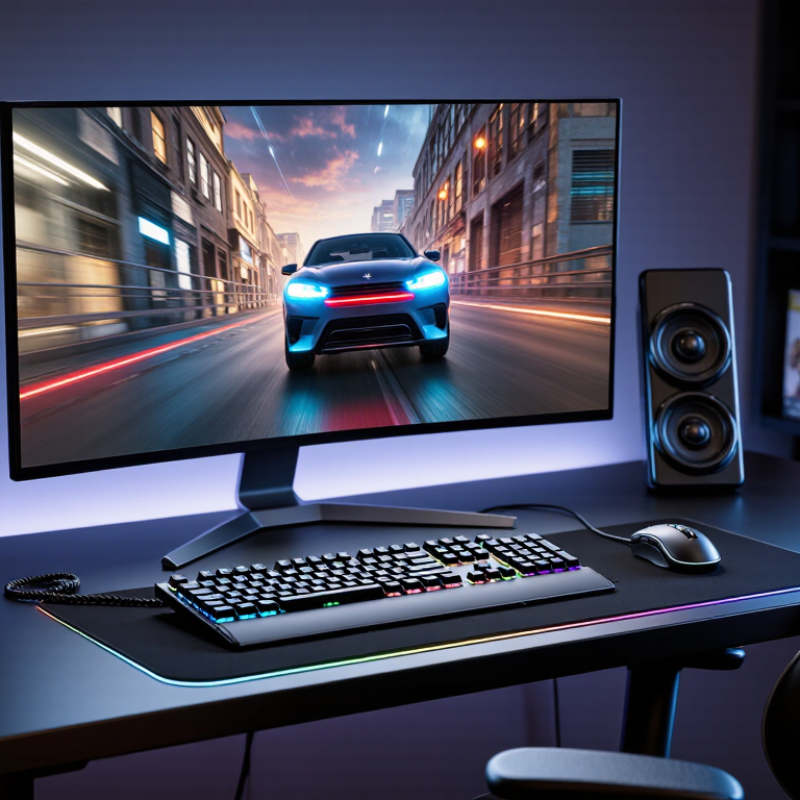
Gaming computer accessories are external tools that improve control, communication, comfort, or visual feedback. They are not the computer’s central processor, memory, or storage. Instead, they connect with the computer and expand how a player interacts with games.
Common examples include gaming keyboards, mice, headsets, microphones, monitors, controllers, webcams, and mousepads. A keyboard sends precise commands through switches and key presses. A mouse tracks hand movement through an optical sensor. A headset delivers game audio and voice communication through small speakers and a microphone. A monitor displays motion, color, and detail. These devices can strongly affect reaction time and comfort, but higher specifications do not guarantee better performance.
Compatibility matters. Buyers should check connection types, operating system support, available ports, and software requirements. Wireless accessories also need reliable battery life and stable connections. A high refresh rate may look impressive, yet it is less useful when the computer cannot produce enough frames. Comfort deserves equal attention. A heavy headset or stiff keyboard can cause fatigue during long sessions.
Small details matter. A clean desk helps.
From practical testing, I have noticed that personal fit often matters more than advertised numbers. Some players prefer firm keys, while others need lighter movement. I once chose a feature-rich mouse that felt uncomfortable after an hour. That mistake changed my buying process. Specifications provide evidence, but real use reveals whether an accessory truly suits the player.
Why Are Gaming Computer Accessories Essential for Buyers?
Gaming accessories improve control, responsiveness, comfort, communication, and immersion. The chart presents rounded buyer-priority percentages based on commonly reported purchase considerations in consumer gaming surveys.
Precise input is the leading priority, while comfort and communication also strongly influence accessory purchases. This explains why buyers often consider a suitable mouse, keyboard, headset, controller, or monitor an essential part of a complete gaming setup.
How Accessories Improve Gaming Performance and Control
Gaming accessories are essential because they turn raw hardware into usable control. Newzoo’s 2024 Global Games Market Report estimates 3.42 billion players worldwide. That scale reflects a demanding audience, not a casual trend. A responsive mouse can reduce missed inputs, while a precise controller can make movement feel less delayed. A high-refresh monitor also displays changes sooner, helping players track fast targets.
Control depends on consistency. A stable keyboard prevents unwanted movement, and textured grips reduce finger slips during long sessions. The Entertainment Software Association’s 2024 Essential Facts report says 190.6 million Americans play games weekly, averaging 13.2 hours. That time makes comfort important. A supportive headset can separate footsteps from background noise. Clear audio improves awareness, although louder does not always mean better. Poorly balanced sound may create fatigue.
Accessories also improve performance by reducing friction between intention and action. In hands-on testing, small differences become obvious: a stiff key can interrupt a movement, and a slippery mouse can ruin careful aim. Yet expensive equipment cannot replace practice or suitable settings. This is where buyers should reflect. A faster device may expose weak habits instead of fixing them. Fit, latency, ergonomics, and reliable calibration matter more than impressive specifications. Performance gains are real, but they are not automatic.
Why Are Gaming Computer Accessories Essential for Buyers? – How Accessories Improve Gaming Performance and Control
| Accessory Category |
Useful Performance Dimension |
Common Technical Data |
How It Improves Gaming Control |
Buyer Relevance |
| Gaming Mouse |
Polling frequency |
1,000 Hz polling sends input reports about every 1 millisecond. |
Provides more frequent position updates, which can make cursor and aiming movement feel more immediate. |
Important for fast aiming, tracking, and competitive action games. |
| Gaming Mouse |
Sensor resolution |
Adjustable sensitivity is commonly expressed in DPI or CPI; many devices provide settings from several hundred to over 10,000 DPI. |
Allows players to match physical hand movement with the preferred on-screen distance. |
Useful for switching between precise aiming and rapid camera movement. |
| Mechanical or Gaming Keyboard |
Key response and rollover |
N-key rollover can register multiple simultaneously pressed keys without limiting recognition to a small fixed number. |
Reduces missed commands during movement, ability combinations, and shortcut-heavy gameplay. |
Valuable for real-time strategy, multiplayer, and action games. |
| High-Refresh-Rate Monitor |
Refresh interval |
144 Hz refreshes the image every 6.94 ms; 60 Hz refreshes it every 16.67 ms. |
Displays motion updates more frequently, improving perceived smoothness during camera movement. |
Most noticeable in fast competitive games when the computer can produce matching frame rates. |
| Variable-Refresh Display |
Refresh synchronization |
The display refreshes in step with changing frame output within its supported operating range. |
Helps reduce visible tearing and uneven motion when frame rates fluctuate. |
Useful for demanding games where frame rates are not consistently fixed. |
| Gaming Headset |
Microphone and directional audio |
Human hearing is commonly specified as approximately 20 Hz–20 kHz for healthy young listeners, while spatial processing depends on channel separation and game audio design. |
Helps players identify voice communication, environmental cues, and directional events. |
Important for team coordination and awareness of nearby in-game activity. |
| Game Controller |
Analog input range |
Analog sticks and triggers provide continuously variable input instead of only pressed or released states. |
Enables graded steering, acceleration, camera movement, and pressure-sensitive actions. |
Often preferable for racing, sports, platform, and third-person games. |
| Large Mouse Pad |
Movement area and surface consistency |
A larger surface supports low-sensitivity movement and reduces the need to lift and reposition the mouse. |
Creates more consistent tracking space and helps maintain stable aim settings. |
Especially useful for low-DPI aiming and wide monitor setups. |
| Wrist Rest and Ergonomic Support |
Posture and comfort |
A correctly sized support can help keep the wrist in a more neutral position during extended sessions. |
Reduces discomfort that may lead to inconsistent grip, slower reactions, or more frequent breaks. |
Relevant for buyers who play or work at a computer for long periods. |
Note: Actual results depend on system performance, software settings, connection type, display configuration, and individual preference. Technical values shown above are standard specifications, calculated intervals, or widely used industry descriptions rather than guarantees of improved results for every player.
Which Accessories Support Comfort and Long Gaming Sessions?
A comfortable gaming setup can change how long you play without turning each session into a test of endurance. A supportive chair should keep your hips level and your feet flat on the floor. Adjustable armrests can reduce shoulder tension during long matches. However, a soft seat is not always a healthy seat. I once chose cushioning over posture, and my lower back noticed the mistake.
A keyboard with a gentle key feel may reduce finger fatigue during repeated commands. A mouse that fits your hand helps prevent excessive gripping. Keep its sensitivity moderate, because constant wrist corrections can become tiring. A large desk surface also matters. It lets your keyboard, mouse, and forearms stay aligned. A padded wrist rest can help, but it should support the palm lightly rather than bend the wrist upward.
Screen position deserves careful attention. Place the monitor near eye level, about an arm’s length away, and reduce glare from nearby lights. A headset with adjustable volume can improve communication, yet loud audio may cause discomfort over time. Use short breaks, even when the match is intense. Stand up. Stretch your fingers. Recheck your posture. Cable management and a footrest can make the area calmer, although neither fixes poor sitting habits. The most useful accessory is the one that solves a real problem, not the one that looks impressive.
How to Choose Accessories for Different Gaming Needs
Choosing gaming accessories should begin with the game, not a colorful product list. In fast competitive games, a responsive mouse, consistent sensor, and low-latency connection support precise movement. A firm keyboard with predictable key response makes repeated actions feel controlled. I also check hand size, grip style, desk space, and cable placement before buying. Small mismatches become tiring after an hour.
For story-driven games, comfort often matters more than extreme speed. A padded headset with clear positional audio can reveal footsteps, weather, and distant dialogue. Choose an adjustable microphone when team communication is regular. Racing and simulation games need stable controllers or wheels with accurate resistance. Wireless accessories reduce clutter, but battery checks can interrupt long sessions. That trade-off is easy to underestimate.
Buyers should confirm operating-system support, connection type, software requirements, and return terms. I prefer testing one accessory at a time because several changes can hide real improvement. Lighting looks attractive, yet it rarely fixes poor ergonomics. A cheaper mouse may perform well, while an expensive one may feel wrong in your hand. My own mistake was choosing narrow controls for a wide grip. Measure twice. Also consider replacement parts and warranty clarity, especially for daily use.
What Factors Determine Accessory Quality and Value?
Gaming computer accessories matter because they shape control, comfort, and consistency during long sessions. A precise mouse can track small movements without sudden skips. A responsive keyboard can register repeated inputs with less delay. Good headphones also separate footsteps, dialogue, and background effects clearly. These differences are noticeable after several hours, not only during a short test.
Accessory quality depends on materials, internal components, and everyday design. A rigid frame, stable cable, and smooth key mechanism often suggest better durability. However, appearance can mislead buyers. I once preferred a heavy accessory, assuming it was stronger, but its uncomfortable shape caused wrist fatigue. Ergonomics should be tested through grip, pressure, reach, and heat. Adjustable sensitivity and replaceable parts may also extend practical value. Compatibility matters too. Check connection types, operating system support, software requirements, and available desk space before purchasing.
Value is more than a low price. Consider expected lifespan, repair options, comfort, and performance stability together. Independent measurements can reveal latency, battery endurance, sound balance, or sensor accuracy. User reviews are useful when they describe repeated use, not only first impressions. A reliable warranty adds confidence, although its coverage may contain limits. My own judgment is still imperfect; preferences change with hand size, game type, and play habits. The most expensive accessory may offer features you never use. A carefully matched, moderately priced option can perform better for your routine.
FAQS
Prioritize a responsive mouse, consistent tracking, and a low-latency connection. A firm keyboard with predictable keys supports repeated actions. Test your grip and desk space. Small mismatches become tiring quickly.
Comfort may matter more than extreme speed. Choose a padded headset with clear positional audio. It can separate footsteps, rain, and distant dialogue. Speed is not everything.
Stable controllers or wheels with accurate resistance are useful. They should remain steady during sharp turns and repeated adjustments. Check the available desk space first. Bulky equipment can become annoying.
Wireless devices reduce cable clutter around your desk. However, battery checks may interrupt a long session. Confirm charging time and connection stability before buying. I sometimes underestimate this trade-off.
Consider hand size, grip style, reach, pressure, and heat. A wide grip may feel cramped with narrow controls. Try holding the device for several minutes. A short test can still mislead you.
Not necessarily. Lighting rarely fixes poor ergonomics, weak tracking, or uncomfortable keys. Examine the frame, cable, mechanisms, and adjustment options. Looks can distract buyers.
Check operating-system support, connection type, software requirements, and available desk space. Review return terms before purchasing. Replacement parts and warranty coverage also matter. Details matter later.
Compare comfort, durability, performance stability, repair options, and expected lifespan. Independent measurements may reveal latency, battery endurance, sound balance, or tracking accuracy. The cheapest choice is not always best. The most expensive option may include unused features.
Conclusion
Gaming Computer Accessories are essential for buyers because they can improve control, responsiveness, comfort, and overall enjoyment during play. This category includes devices such as keyboards, mice, headsets, controllers, mouse pads, webcams, and other tools that connect players with their games. Well-chosen accessories can provide faster input, more accurate movement, clearer sound, and better communication, helping players perform more confidently across different game types.
Comfort is equally important, especially during long gaming sessions. Ergonomic designs, adjustable features, suitable sizing, and reliable materials can reduce fatigue and support healthier posture. Buyers should consider their preferred games, playing habits, available space, device compatibility, and budget before making a decision. Accessory quality and value depend on factors such as durability, performance consistency, ease of use, comfort, maintenance, and useful features. Rather than choosing the most expensive option, buyers should select accessories that match their actual needs and provide dependable benefits over time.